
LED + OLED
Build a Traffic Light Flow
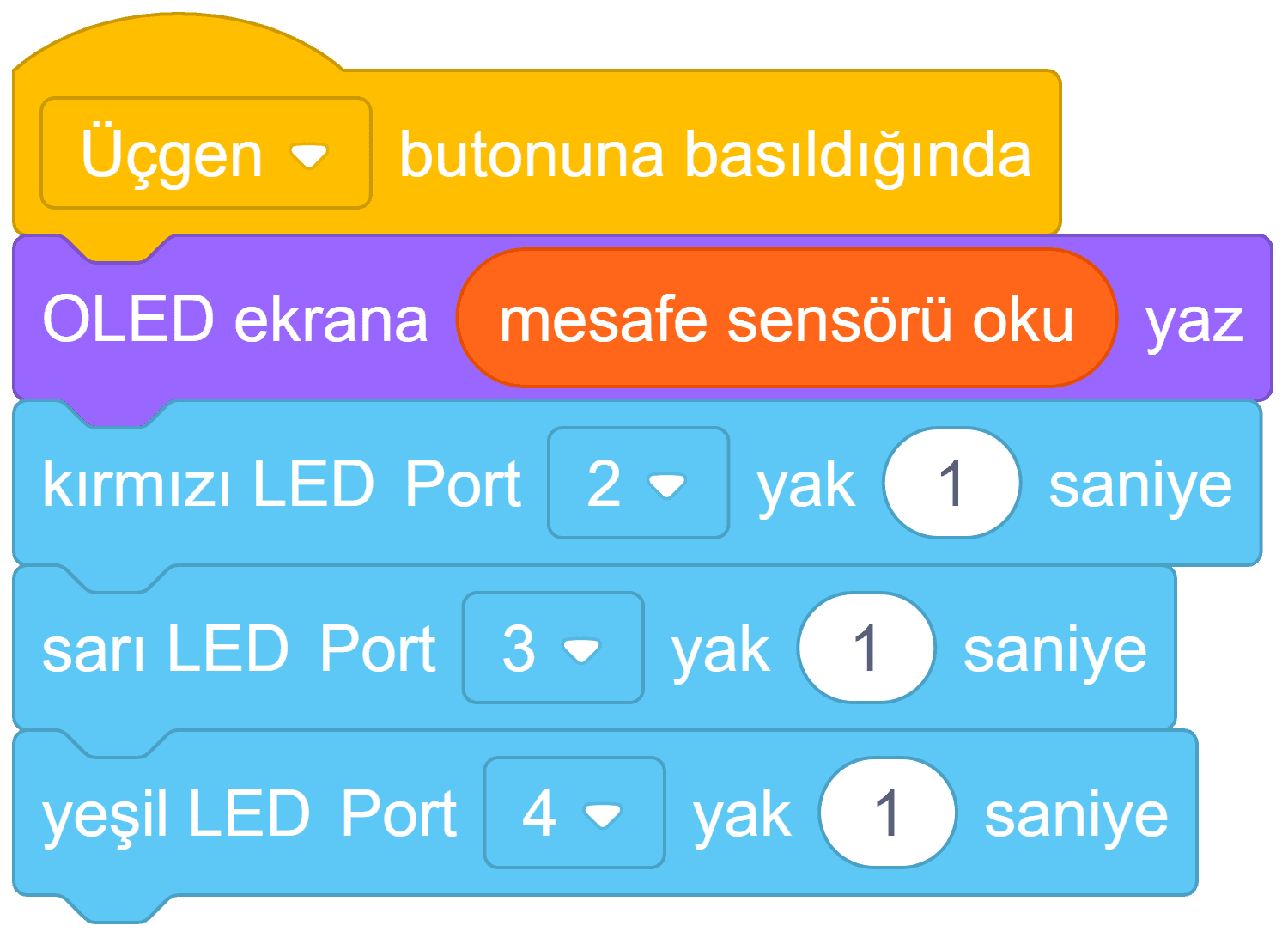
Read a distance value on the OLED and light red, yellow, and green LEDs in sequence with one button action.
EXPLORE BLOCK CODING
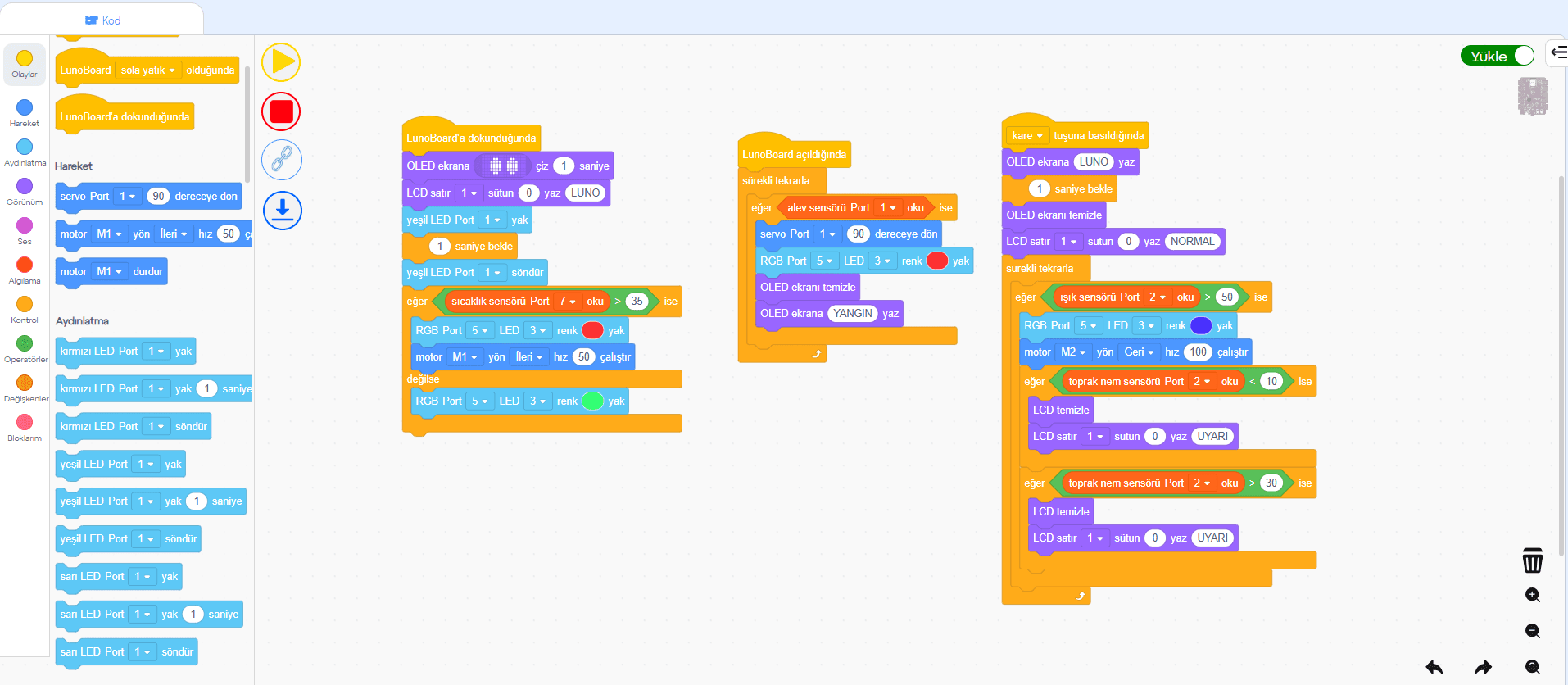
Build your block logic in LunoCode, then use LunoLink to upload it to LunoBoard. LunoLink must be installed on your computer before the code can run on the board.
Install LunoLink first, then upload your blocks to LunoBoard.
SAMPLE BLOCK PROJECTS
Explorers drag blocks in LunoCode, combine LEDs, motors, OLED, and sensors, then prepare their projects for LunoBoard.
Read a distance value on the OLED and light red, yellow, and green LEDs in sequence with one button action.
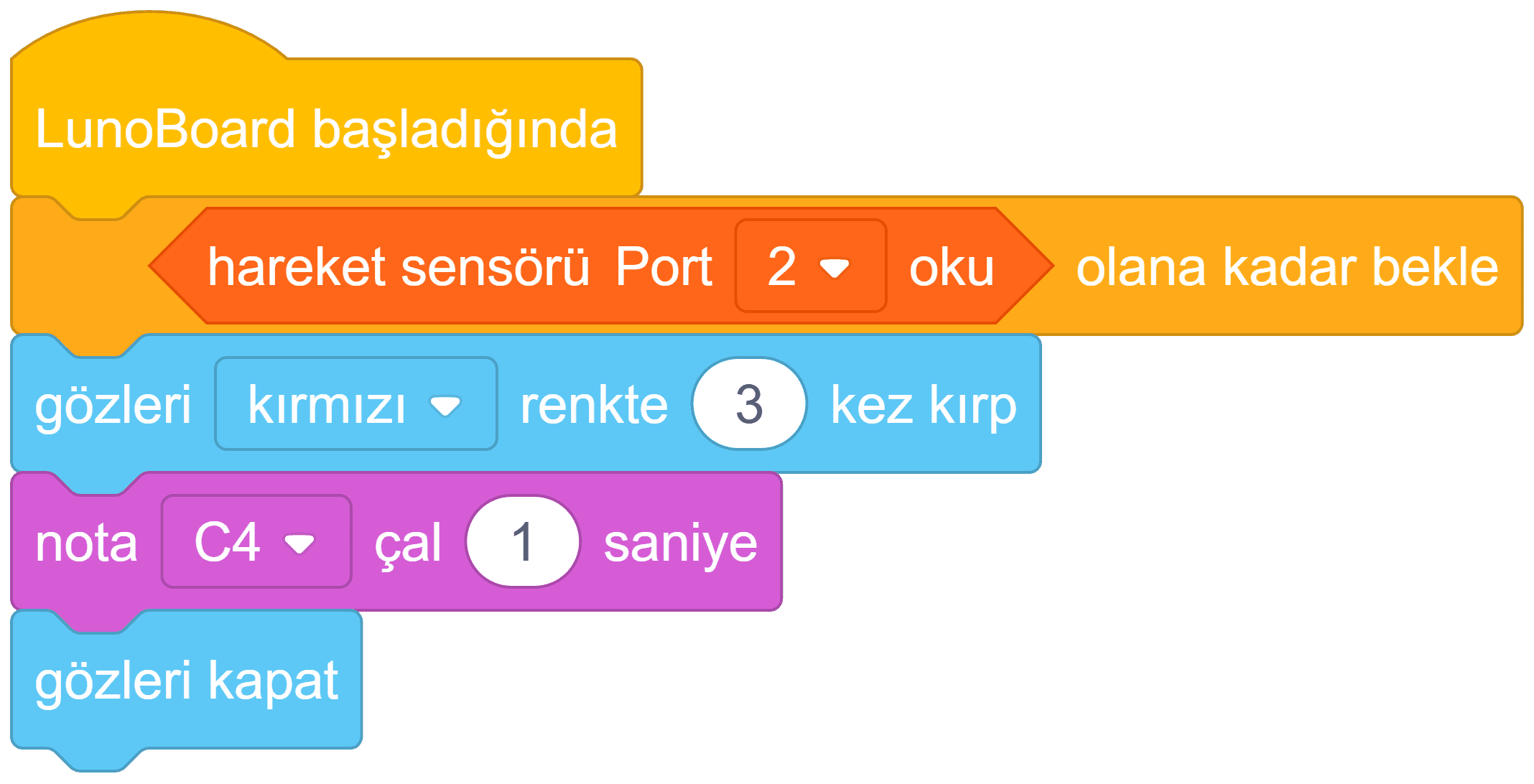
Wait for the motion sensor, blink LunoBoard's eyes in red, play a warning note, and close the alert.
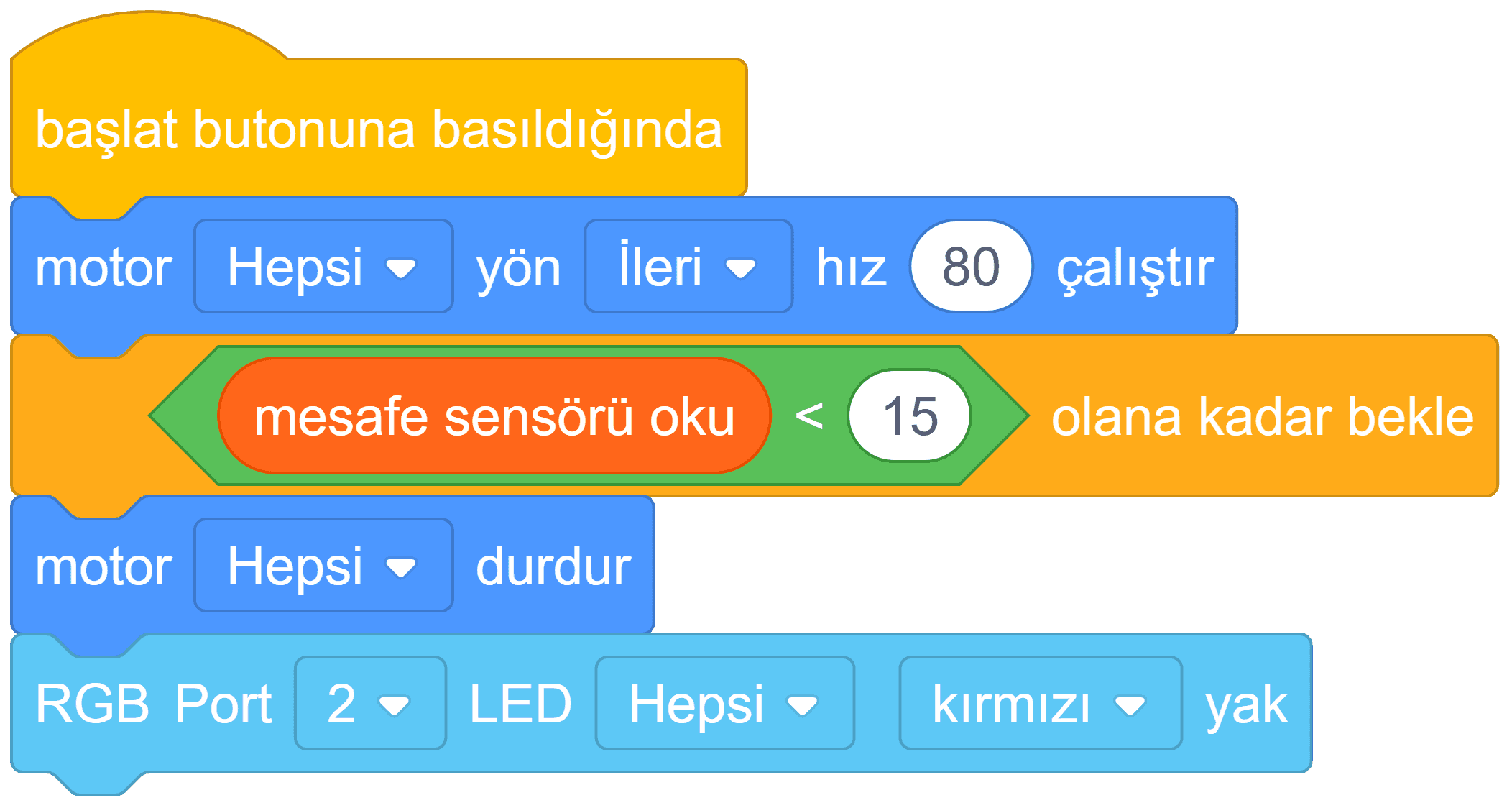
Run the motors, read the distance sensor, stop when an obstacle is close, and show a red RGB warning.